Log In
Using the link you received via email, reset your password and log in to your Science Exchange account. Upon login, you will be directed to Admin Settings while your account is onboarding.
Assessments
Navigate to the Assessments section. To edit each assessment, click the arrow in the far right column, and then click Edit in the dropdown menu. 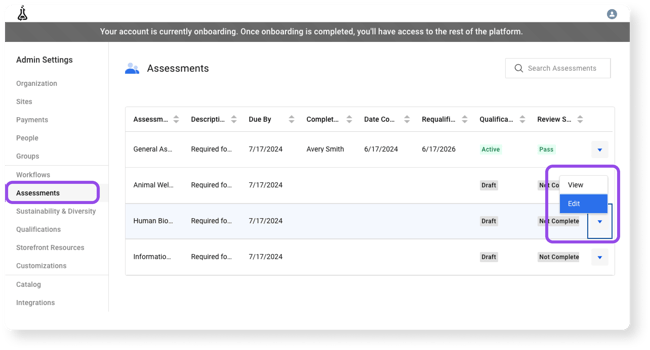
Complete each assessment. Once you have submitted all of the relevant information, click the blue Save button in the upper right corner of the page. 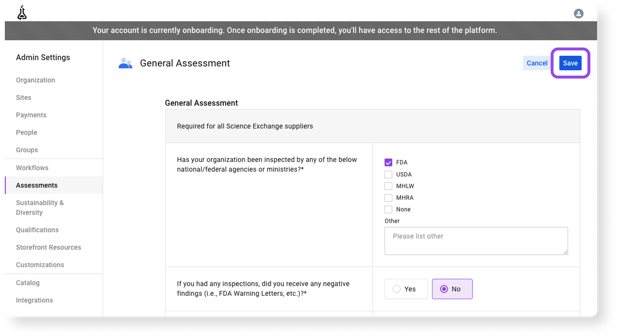
As you complete each application, you can track your qualification and review status on the Assessments page.
Payments
Navigate to the Payments section. We have pre-populated a payment account for you based on your application. Click the arrow in the far right column and click Edit in the dropdown menu. 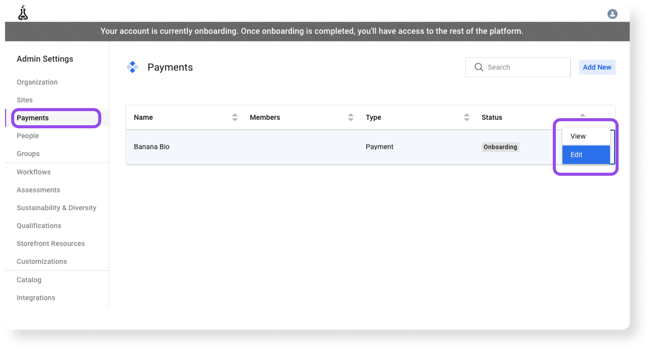
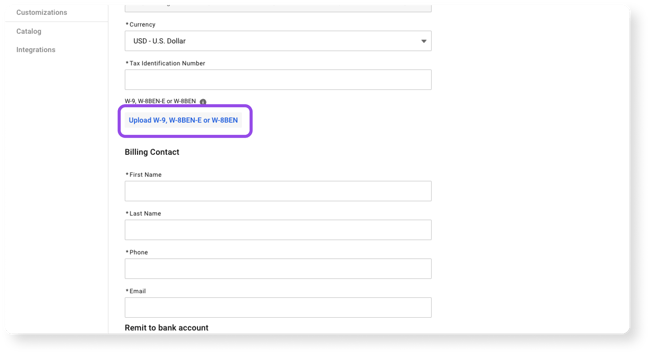
Complete any missing payment information. In two cases, you will be required to upload a document: your tax form and bank document. Once you have submitted all of the relevant information, click the blue Save button in the upper right corner of the page.