
-
 Overview
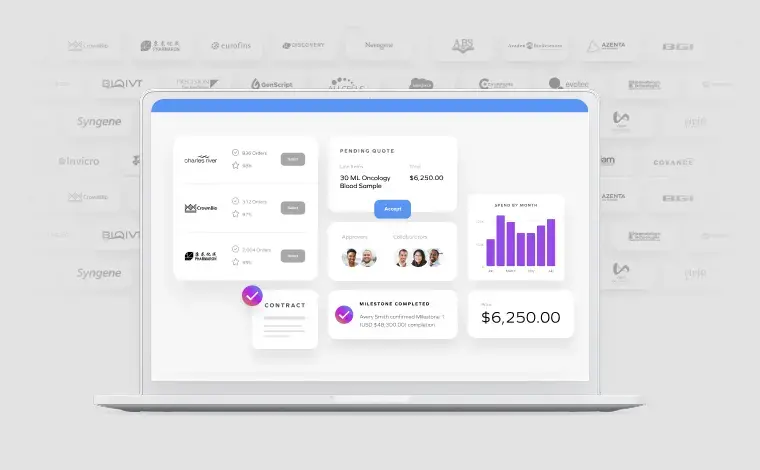
Simplify purchasing, supplier management, and payment processing with one platform.
Overview
Simplify purchasing, supplier management, and payment processing with one platform.
-
 Analytics
Turn R&D spend data into supplier benchmarks, category strategy, and audit-ready reports.
Analytics
Turn R&D spend data into supplier benchmarks, category strategy, and audit-ready reports.
-
 R&D Marketplace
Work with suppliers instantly and efficiently, all in one marketplace experience.
R&D Marketplace
Work with suppliers instantly and efficiently, all in one marketplace experience.
-
 Integrations
Connect Science Exchange to your existing ERP, P2P, and identity systems with no disruption to core infrastructure.
Integrations
Connect Science Exchange to your existing ERP, P2P, and identity systems with no disruption to core infrastructure.
-
 Workflows
Automate supplier requests, approvals, and compliance across every R&D team without the manual handoffs.
Workflows
Automate supplier requests, approvals, and compliance across every R&D team without the manual handoffs.
-
 Security & Compliance
Enterprise security controls, audit-ready compliance, and pre-qualified suppliers built into every workflow.
Security & Compliance
Enterprise security controls, audit-ready compliance, and pre-qualified suppliers built into every workflow.
-
 Payments
Automate supplier invoices, payments, and spend tracking across your entire R&D portfolio.
Payments
Automate supplier invoices, payments, and spend tracking across your entire R&D portfolio.
-
 Artificial Intelligence
Surface supplier insights, flag spend anomalies, and move faster with AI built on life sciences data.
Artificial Intelligence
Surface supplier insights, flag spend anomalies, and move faster with AI built on life sciences data.
-
 Overview
One platform to orchestrate suppliers across every stage of the R&D lifecycle.
Overview
One platform to orchestrate suppliers across every stage of the R&D lifecycle.
-
 HEOR & Real-World Evidence
Generate payer evidence faster with standardized vendor workflows.
HEOR & Real-World Evidence
Generate payer evidence faster with standardized vendor workflows.
-
 Preclinical R&D
Accelerate discovery programs with instant access to pre-qualified suppliers.
Preclinical R&D
Accelerate discovery programs with instant access to pre-qualified suppliers.
-
 Virtual Lab Manager™
Dedicated procurement support so your scientists can focus on the science.
Virtual Lab Manager™
Dedicated procurement support so your scientists can focus on the science.
-
 Clinical Research
Coordinate trial vendors across all sites with compliance built in.
Clinical Research
Coordinate trial vendors across all sites with compliance built in.

latest customer story
See how a top-10 biopharma orchestrated $100M+ in external R&D spend across 30+ global sites
Read more-
 R&D Teams
Connect R&D teams to pre-qualified scientific partners with compliance and project visibility built in.
R&D Teams
Connect R&D teams to pre-qualified scientific partners with compliance and project visibility built in.
-
 Procurement
 intelligence built for life sciences: compliance, sourcing strategy, and spend visibility in one platform.
Procurement
Procurement intelligence built for life sciences: compliance, sourcing strategy, and spend visibility in one platform.
-
 Finance
Real-time R&D spend visibility, invoice matching, and budget reporting built for finance teams.
Finance
Real-time R&D spend visibility, invoice matching, and budget reporting built for finance teams.
-
 Legal
One master agreement covers every supplier relationship, so legal review happens once, not per engagement.
Legal
One master agreement covers every supplier relationship, so legal review happens once, not per engagement.
-
 Emerging Biotech
Enterprise sourcing infrastructure for lean biotech teams, without the overhead of a full-time hire.
Emerging Biotech
Enterprise sourcing infrastructure for lean biotech teams, without the overhead of a full-time hire.

-
 Overview
Access pharmaceutical and biotech R&D budgets through Science Exchange's curated supplier network with simplified contracting and streamlined payment.
Overview
Access pharmaceutical and biotech R&D budgets through Science Exchange's curated supplier network with simplified contracting and streamlined payment.
-
 Industries We Serve
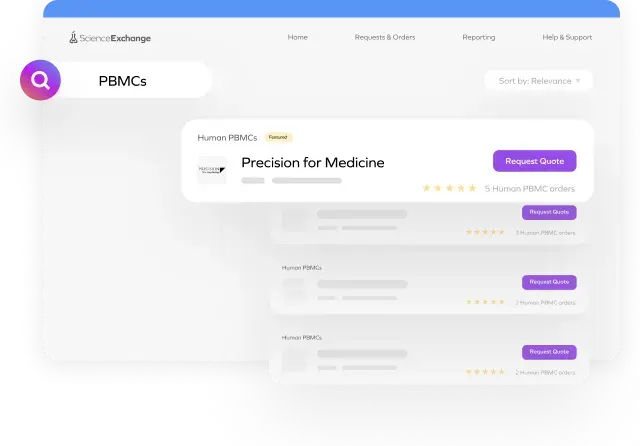
Source the right supplier, with the right capabilities, right when you need them.
Industries We Serve
Source the right supplier, with the right capabilities, right when you need them.
-
Become a Supplier
Apply to join Science Exchange's qualified supplier network and gain access to enterprise pharmaceutical clients seeking specialized scientific services.
-
Resource Library
Guides, case studies, white papers, and industry reports on R&D supplier orchestration, compliance automation, and procurement efficiency for life sciences teams.
-
 Blog
Helpful resources on R&D outsourcing, supplier orchestration, operational and procurement strategies & more. Stay on top of the latest innovations from our 3800+ R&D suppliers.
Blog
Helpful resources on R&D outsourcing, supplier orchestration, operational and procurement strategies & more. Stay on top of the latest innovations from our 3800+ R&D suppliers.
-
 Ask a Virtual Lab Manager™
Short video answers from our Virtual Lab Managers on the lab purchasing, pricing, and supplier questions biotech teams ask every day.
Ask a Virtual Lab Manager™
Short video answers from our Virtual Lab Managers on the lab purchasing, pricing, and supplier questions biotech teams ask every day.
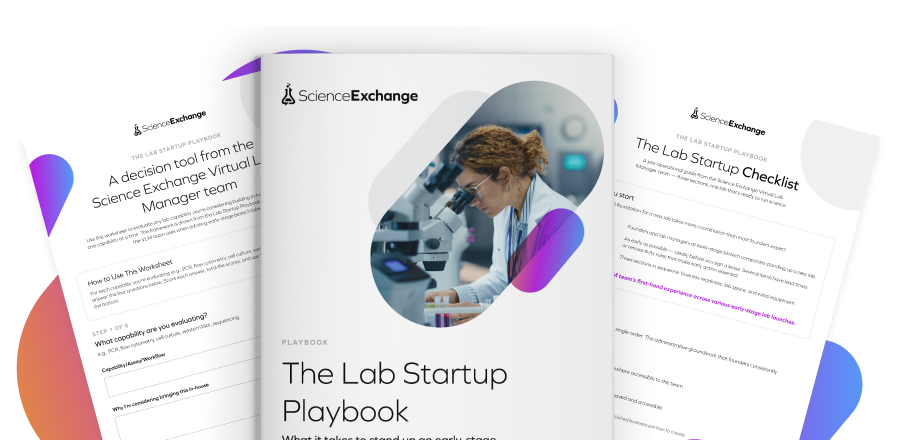
Get the free Lab Startup Bundle: a guide, checklist, and worksheet from the team that has stood up biotech labs dozens of times.
Download the Bundle-
 Why Science Exchange
Orchestrate your suppliers with speed and compliance.
Why Science Exchange
Orchestrate your suppliers with speed and compliance.
-
About
Understand our mission and what drives us.
-
AI Charter
Our commitment to responsible AI: security, transparency, and human-centered innovation.
-
 Company News
Check out the latest buzz and excitement.
Company News
Check out the latest buzz and excitement.
-
 Careers
Help us create the future of supplier orchestration.
Careers
Help us create the future of supplier orchestration.
-
 Contact Us
Reach out, we want to hear from you.
Contact Us
Reach out, we want to hear from you.
-
-
Overview
Simplify purchasing, supplier management, and payment processing with one platform.
-
Analytics
Turn R&D spend data into supplier benchmarks, category strategy, and audit-ready reports.
-
R&D Marketplace
Work with suppliers instantly and efficiently, all in one marketplace experience.
-
Integrations
Connect Science Exchange to your existing ERP, P2P, and identity systems with no disruption to core infrastructure.
-
Workflows
Automate supplier requests, approvals, and compliance across every R&D team without the manual handoffs.
-
Security & Compliance
Enterprise security controls, audit-ready compliance, and pre-qualified suppliers built into every workflow.
-
Payments
Automate supplier invoices, payments, and spend tracking across your entire R&D portfolio.
-
Artificial Intelligence
Surface supplier insights, flag spend anomalies, and move faster with AI built on life sciences data.
-
-
-
Overview
One platform to orchestrate suppliers across every stage of the R&D lifecycle.
-
HEOR & Real-World Evidence
Generate payer evidence faster with standardized vendor workflows.
-
Preclinical R&D
Accelerate discovery programs with instant access to pre-qualified suppliers.
-
Virtual Lab Manager™
Dedicated procurement support so your scientists can focus on the science.
-
Clinical Research
Coordinate trial vendors across all sites with compliance built in.
-
-
-
R&D Teams
Connect R&D teams to pre-qualified scientific partners with compliance and project visibility built in.
-
Procurement
Procurement intelligence built for life sciences: compliance, sourcing strategy, and spend visibility in one platform.
-
Finance
Real-time R&D spend visibility, invoice matching, and budget reporting built for finance teams.
-
Legal
One master agreement covers every supplier relationship, so legal review happens once, not per engagement.
-
Emerging Biotech
Enterprise sourcing infrastructure for lean biotech teams, without the overhead of a full-time hire.
-
-
-
Overview
Access pharmaceutical and biotech R&D budgets through Science Exchange's curated supplier network with simplified contracting and streamlined payment.
-
Industries We Serve
Source the right supplier, with the right capabilities, right when you need them.
-
Become a Supplier
Apply to join Science Exchange's qualified supplier network and gain access to enterprise pharmaceutical clients seeking specialized scientific services.
-
-
-
Resource Library
Guides, case studies, white papers, and industry reports on R&D supplier orchestration, compliance automation, and procurement efficiency for life sciences teams.
-
Blog
Helpful resources on R&D outsourcing, supplier orchestration, operational and procurement strategies & more. Stay on top of the latest innovations from our 3800+ R&D suppliers.
-
Ask a Virtual Lab Manager™
Short video answers from our Virtual Lab Managers on the lab purchasing, pricing, and supplier questions biotech teams ask every day.
-
-
-
Why Science Exchange
Orchestrate your suppliers with speed and compliance.
-
About
Understand our mission and what drives us.
-
AI Charter
Our commitment to responsible AI: security, transparency, and human-centered innovation.
-
Company News
Check out the latest buzz and excitement.
-
Careers
Help us create the future of supplier orchestration.
-
Contact Us
Reach out, we want to hear from you.
-

